
How Many Computer Operating Systems Are There? A Guide to Popular and Specialized OSs
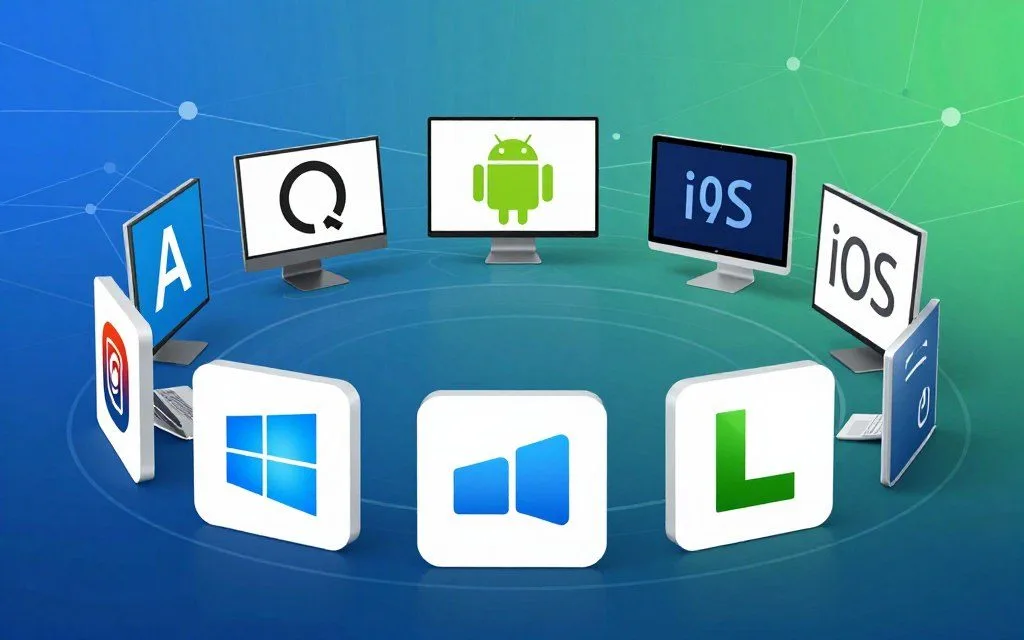
How many computer operating systems are there? The answer is more complex than it first seems. Popular operating systems include Microsoft Windows, Apple macOS, Google Android, and Apple iOS.
Hundreds also exist, including Linux distributions, embedded systems, real-time operating systems, and specialized industrial platforms.
This computer operating systems guide explains the diverse world of operating systems. It covers basic definitions, their history, and the different types available. You will explore desktop, mobile, server, embedded, and real-time operating systems.
The answer depends on how you define an operating system. Counting variants, distributions, or versions separately can change the total. By the end, this OS types overview will clarify the ecosystem and its many parts.
Key Takeaways
- The total number of operating systems exceeds hundreds, including various types.
- Popular platforms include Windows, macOS, Android, and iOS.
- Linux distributions and specialized systems contribute significantly to the total count.
- Definitions of operating systems can affect the overall tally.
- This guide covers desktop, mobile, server, embedded, and real-time operating systems.
Understanding Computer Operating Systems
What is an operating system? It is more than software: it connects users with hardware, coordinates application software, and manages memory and input/output operations. The operating system definition includes its role in helping hardware components work together smoothly.
What Is an Operating System?
An operating system (OS) is vital system software that lets users interact with computers. Learning OS fundamentals shows how its user interface lets people run commands and applications. Here is system software explained: the OS manages files and controls hardware devices.
Core Functions of an Operating System
The core functions of operating systems include:
- Process Management: The OS oversees running applications and allocates CPU time to various processes, ensuring smooth operation.
- Memory Management: It manages the computer’s memory, allocating space for programs and ensuring efficient usage.
- File System Management: The OS organizes and maintains files on storage devices, allowing users to save and retrieve data easily.
- Device Management: It controls peripheral devices, facilitating communication between the hardware and software.
- Security and Access Control: The OS protects data and system resources, managing user permissions and safeguarding against unauthorized access.
For example, Windows uses the Task Manager to manage processes, while Linux employs its ext4 file system to handle file permissions effectively. Although operating systems differ, they share these core functions, which support consumers and businesses.
To learn more about operating systems, visit this comprehensive resource.
The Evolution of Operating Systems
The history of operating systems shows how technology changed over the decades. Each era brought major advances that changed how users interact with computers.
Early Operating Systems and Mainframes
In the 1950s and 1960s, mainframe operating systems served large mainframe computers. Systems like GM-NAA I/O and IBM’s OS/360 provided essential functions for corporations and government agencies. Bell Labs introduced UNIX in 1969, marking a pivotal moment and laying groundwork for many modern operating systems.
The Rise of Personal Computing
The 1970s and 1980s marked a dramatic shift in personal computing history. Operating systems like CP/M and MS-DOS made computing accessible to individual users. The original Macintosh System Software and early versions of Windows made computer use more intuitive.
This era moved computing from institutions to personal use. It led to a boom in the number of operating systems.
Modern Operating Systems Era
The evolution of OS accelerated from the 1990s to the present, shaping modern OS development. Windows 95 introduced a user-friendly interface, while macOS X brought sleek design and functionality. The explosion of Linux distributions offered diverse options, while mobile operating systems like Android and iOS transformed daily technology use.
How Many Computer Operating Systems Are There?
People asking how many computer operating systems are there may wonder about the total number of operating systems available today. These systems include popular choices and specialized options.
Counting the Major Operating Systems Worldwide
A few leading systems dominate desktop computing. The major operating systems worldwide include:
- Microsoft Windows: Holding approximately 70-75% of the desktop market share.
- Apple macOS: Capturing around 15-20% of the market.
- Google ChromeOS: Gaining traction, especially in educational settings.
- Various Linux distributions: While less mainstream, they still have a dedicated user base.
Only major, commercially supported desktop systems number about 10 to 15 distinct operating systems. This small group shows how strongly a few market leaders dominate.
The Vast World of Linux Distributions
Linux is flexible and open source, so it supports many distributions. The Linux distributions count exceeds 250 active entries on DistroWatch, with more in development or discontinued. Some of the most popular include:
- Ubuntu
- Fedora
- Debian
- Linux Mint
- Arch Linux
- CentOS
This variety shows how the Linux kernel adapts to different user needs and preferences.
Niche and Specialized Operating Systems
These niche operating systems serve specific tasks or audiences. The niche operating systems list includes:
- FreeBSD
- OpenBSD
- NetBSD
- Haiku
- ReactOS
- TempleOS
These systems serve special purposes and often attract enthusiasts and developers. Including variants, distributions, and specialized systems, the total exceeds 500. The exact figure varies with classification rules.
Popular Desktop Operating Systems
A few key platforms lead the desktop market and serve many types of users. This guide covers popular desktop operating systems, their features, versions, and market share. The best desktop OS depends on each user’s needs.
Microsoft Windows
Microsoft Windows remains a major desktop operating system. Microsoft Windows features include a simple interface and broad software support, attracting users worldwide.
Key Features of Windows
- Redesigned Start Menu: Windows 11 features a centered Start menu for easier access to apps.
- Snap Layouts: This feature enhances multitasking by allowing users to organize open windows effortlessly.
- DirectStorage: A boon for gamers, this technology reduces load times for games.
- Windows Subsystem for Linux: Users can run Linux applications directly on Windows.
- Enhanced Security: Windows 11 requires TPM 2.0 for improved security measures.
Windows Versions and Market Share
Windows market share is about 70-75% of the global desktop market. Windows 10 remains widely used beside Windows 11, showing its lasting popularity.
Apple macOS
Apple’s macOS is a major desktop operating system. Apple macOS features include a sleek design and strong integration with Apple hardware, attracting loyal users.
Key Features of macOS
- Continuity: This feature allows seamless transitions between Apple devices.
- Handoff: Users can start a task on one device and continue it on another.
- Stage Manager: This feature enhances multitasking by organizing windows effectively.
- Apple Silicon Support: The transition to Apple’s custom processors boosts performance and efficiency.
macOS Versions and Market Share
Current macOS versions hold about 15-20% of the desktop market share. They have strong adoption in creative and professional fields, especially in the United States.
Linux Desktop Distributions
For users seeking customization and security, Linux desktop distributions offer a strong alternative. They remain popular with developers and technology enthusiasts.
Key Features of Linux
- Customizability: Users can tailor their desktop environments to their preferences.
- Security: Linux is known for its strong security protocols.
- Package Management Systems: Efficiently manage software installations and updates.
- Variety of Desktop Environments: Options like GNOME, KDE Plasma, and Xfce cater to different user preferences.
Popular Linux Distributions
Linux commands only 3-5% of the traditional desktop market. Yet it powers millions of systems through distributions like Ubuntu, Linux Mint, Fedora, and Pop!_OS. Each offers unique features and user experiences.
Mobile Operating Systems
Mobile operating systems run modern smartphones and support their main functions. Google Android and Apple iOS power billions of devices worldwide. Each platform offers features for different user needs and choices.
Google Android
Google Android, based on the Linux kernel, holds an estimated 70-72% of the global smartphone OS market. Its popularity comes from several Google Android features:
- Open-source nature: The Android Open Source Project (AOSP) allows developers to modify and enhance the system.
- Deep Google services integration: Users benefit from seamless access to Google apps and services.
- Customizable home screens: Users can personalize their devices with widgets and themes.
- Multi-window support: This feature enhances multitasking capabilities.
- Extensive app ecosystem: The Google Play Store boasts over 3 million apps, catering to diverse user needs.
However, Android faces fragmentation because manufacturers, including Samsung and Google Pixel, use different interfaces. Examples include One UI and Pixel UI.
Key Features of Android
These features make Android a versatile choice for users who value customization and flexibility.
Apple iOS
By contrast, Apple iOS powers every iPhone and holds about 27-28% of the market. Its US share is higher, at about 55-60%. These Apple iOS features include:
- Tightly integrated Apple ecosystem: iOS devices work seamlessly with other Apple products.
- iMessage and FaceTime: These features enhance communication among Apple users.
- App Store quality controls: Strict guidelines ensure high-quality apps for users.
- Regular software updates: iOS devices receive consistent updates across all supported models.
- Advanced privacy features: Tools like App Tracking Transparency enhance user privacy.
Android vs iOS systems dominate smartphone OS market share, but other platforms also exist. Huawei’s HarmonyOS and several Linux-based systems add to mobile operating systems’ diversity.
Server and Enterprise Operating Systems
Server operating systems manage resources and provide services across data centers and cloud infrastructures. They help businesses run critical workloads with reliable enterprise OS solutions.
Windows Server Editions
Microsoft’s Windows Server editions include Windows Server 2022, Windows Server 2019, and the upcoming Windows Server 2025. These platforms offer powerful enterprise features, including:
- Active Directory for user management and authentication.
- Hyper-V for virtualization, allowing multiple operating systems to run on a single physical server.
- Storage Spaces Direct for enhanced storage solutions.
- Integration with Azure cloud services for hybrid cloud deployments.
Windows Server holds a significant share of the enterprise server market. It is especially popular with organizations invested in Microsoft ecosystems.
Linux Server Distributions
Linux server distributions dominate the server market, and estimates suggest that over 90% of public cloud workloads run on Linux. Notable distributions include:
| Distribution | Key Features | Use Cases |
|---|---|---|
| Red Hat Enterprise Linux (RHEL) | Robust support and security | Enterprise applications |
| Ubuntu Server | User-friendly interface | Web hosting and cloud |
| SUSE Linux Enterprise Server | High availability | Mission-critical workloads |
These distributions support containerization technologies like Docker and Kubernetes, plus strong security frameworks such as SELinux and AppArmor.
Unix-Based Enterprise Systems
Unix enterprise systems, including IBM AIX, Oracle Solaris, and HP-UX, continue to support critical enterprise workloads. Banks, telecommunications companies, and governments often use them for their reliability and performance.
“Unix systems are designed for scalability and performance, making them ideal for enterprise environments.”
Server operating systems make up a substantial share of all computer operating systems. This share reflects their importance in managing complex IT infrastructures.
Specialized and Embedded Operating Systems
Embedded and specialized operating systems include many embedded operating systems used today. They run on specific hardware and improve performance for special uses. This wide range increases the total number of computer operating systems available today.
One major category is embedded Linux variants. They power smart TVs, routers, automotive infotainment systems, and Internet of Things (IoT) devices. OpenWrt supports networking equipment; the Yocto Project builds Linux systems for specific needs. Samsung’s Tizen and LG’s webOS are other examples.
Together, these embedded Linux variants number in the hundreds because manufacturers create custom builds for their hardware.
Another key player is the QNX operating system, a commercial real-time operating system owned by BlackBerry. It is widely used in automotive systems, medical devices, and industrial automation. Other industrial OS solutions, including VxWorks and Integrity from Green Hills Software, serve manufacturing, aerospace, and defense.
These systems often stay unseen by consumers but make up a large share of operating systems in use today.
Real-Time Operating Systems (RTOS)
Real-time operating systems (RTOS) serve applications where timing and reliability are critical. They ensure critical tasks run within guaranteed time frames. This makes them essential in aerospace, automotive, and telecommunications.
FreeRTOS and VxWorks are two leading RTOS examples. Each offers features for time-sensitive applications.
FreeRTOS
FreeRTOS is an open-source real-time operating system kernel developed by Real Time Engineers Ltd. Amazon Web Services now maintains it. It is among the most widely deployed RTOS solutions, running on billions of microcontrollers worldwide.
FreeRTOS features include:
- Small Memory Footprint: Typically requires only 5-10 KB of memory.
- Preemptive or Cooperative Scheduling: Supports both scheduling methods to optimize performance.
- Wide Architecture Support: Compatible with over 40 microcontroller architectures.
- AWS IoT Integration: Seamlessly connects with AWS IoT services for cloud applications.
FreeRTOS is a versatile choice for embedded RTOS solutions in IoT devices, wearables, smart home products, and industrial sensors.
VxWorks
VxWorks is a proprietary real-time operating system developed by Wind River Systems, now a subsidiary of Aptiv. It has been deployed in critical systems, including NASA’s Mars rovers and Boeing 787 Dreamliner avionics. The VxWorks operating system offers these key features:
- Deterministic Real-Time Performance: Guarantees predictable response times for critical tasks.
- High Reliability: Built for systems requiring robust performance in demanding environments.
- Multi-Core Processor Support: Optimized for modern hardware architectures.
- Safety-Critical Certification: Complies with standards like DO-178C for aviation safety.
VxWorks is especially popular in defense and aerospace because of its reliability and performance.
| Feature | FreeRTOS | VxWorks |
|---|---|---|
| Memory Footprint | 5-10 KB | Varies by application |
| Scheduling | Preemptive/Cooperative | Preemptive |
| Architecture Support | 40+ Microcontrollers | Multi-Core Processors |
| Use Cases | IoT, Wearables | Aerospace, Defense |
In summary, real-time operating systems form a distinct category within the broader field of computer operating systems. Numerous commercial and open-source options support applications where timing and reliability are essential. For more information on computational systems, visit this resource.

Open-Source vs Proprietary Operating Systems
The open-source vs proprietary OS debate shapes today’s tech world. Each type offers benefits for different users and needs.
Advantages of Open-Source Operating Systems
Open-source operating systems, such as Linux and FreeBSD, provide many benefits. Linux advantages include the transparency of source code, which lets users inspect and change the software. This supports:
- Community-driven development: A collaborative effort fosters innovation and rapid improvements.
- Customizability: Users can tailor the OS to their specific needs, enhancing functionality.
- Freedom from vendor lock-in: Users are not tied to a single vendor, promoting flexibility.
- Zero licensing costs: Most open-source systems are free, reducing overall costs.
For instance, Android’s open-source foundation helped its rapid global adoption. Companies like Red Hat built business models around open-source software.
Advantages of Proprietary Operating Systems
In contrast, proprietary operating systems like Windows and macOS offer several benefits. Windows macOS advantages include:
- Dedicated technical support: Users receive consistent assistance from the vendor.
- Consistent user experience: Proprietary systems often feature polished interfaces and seamless integration.
- Guaranteed compatibility: Users can expect their software to work well with hardware and other applications.
- Regular security updates: Vendors provide ongoing support and accountability for security measures.
Both types have valid uses. The best choice depends on personal needs, technical skill, and organizational requirements.
| Feature | Open-Source OS | Proprietary OS |
|---|---|---|
| Cost | Free | Paid |
| Support | Community-based | Vendor support |
| Customization | Highly customizable | Limited customization |
| Updates | Frequent and varied | Regular and structured |
Choosing the Right Operating System for Your Needs
Choosing an operating system that fits your needs can improve productivity and enjoyment. Users may need different features for personal use, business, or development. An operating system selection guide helps you make an informed choice.
For Personal and Everyday Use
For most consumers, the best OS for personal use is either Windows 11 or macOS. Windows offers broad hardware support and excellent gaming, making it a flexible choice. macOS provides a smooth experience for users in the Apple ecosystem.
For an affordable, low-maintenance option, ChromeOS is ideal for web browsing and cloud applications.
For Business and Enterprise Environments
Choosing the right operating system matters in business settings. Organizations often value central management, security compliance, and software compatibility. The best OS for business is usually Windows 11 Pro or Enterprise.
This is especially true for companies using Microsoft 365 and Active Directory. Linux servers, such as Ubuntu or RHEL, are preferred for web hosting and cloud infrastructure. ChromeOS adoption is also growing in education and thin-client deployments.
For Developers and Technical Users
The best OS for developers often includes Linux distributions like Ubuntu, Fedora, and Arch Linux. They offer powerful command-line tools and package managers. These systems also support containerization and development environments.
macOS remains popular with web and mobile developers, especially for iOS applications. Windows with WSL2 combines Windows and Linux capabilities, making it useful for technical users.
The Future of Operating Systems
The future of operating systems looks bright because cloud computing and artificial intelligence keep advancing. Two key operating system trends will shape OS development as we move forward.
Cloud-Based Operating Systems
Cloud-based operating systems are becoming more common. Systems such as ChromeOS depend on internet access to provide a smooth user experience. ChromeOS shows a cloud-first approach, letting users access applications and data directly from the cloud.
Microsoft’s Windows 365 Cloud PC streams a full Windows experience from Azure data centers. This change shows how traditional operating systems now connect more deeply with cloud services. For example, macOS has iCloud integration, while Windows supports OneDrive, joining local and cloud-based computing.
Artificial Intelligence Integration
Artificial intelligence is also changing operating systems. AI in operating systems can improve user interaction. Microsoft’s Copilot in Windows 11 offers predictive assistance, making tasks easier and more intuitive.
Apple’s intelligence features in macOS and iOS, plus Google’s Gemini AI in Android and ChromeOS, show AI’s growing role. These tools support natural language processing, automated system optimization, and stronger security through AI-driven threat detection.
Future systems may become more personal and adaptive. This change could create entirely new types, including a next generation OS. It may also expand how we understand how many computer operating systems exist.
Conclusion
The question how many computer operating systems are there reveals a complex technology landscape. Most United States users work with Windows, macOS, Android, and iOS. Yet, more than 500 distinct systems exist, including Linux distributions, embedded systems, real-time operating systems, and specialized solutions.
This operating systems summary counts about 10 to 15 major commercial desktop systems. All Linux variants raise the count above 250. Embedded and real-time operating systems push the total beyond 500, showing computing needs vary across devices and industries.
This OS guide conclusion encourages readers to explore beyond familiar mainstream operating systems. A deeper computer operating systems overview can support better technology decisions for personal and professional use. As technology evolves, new operating systems will likely emerge and shape computing’s future.
Leave a Reply